
The safest LiteSpeed Cache settings for most WordPress sites are simple: turn on Page Cache and Browser Cache, and leave the CSS and JavaScript optimization off until you test it. On our own website, these few settings took our GTmetrix performance score from 74% to 82%.
We build fast websites for our clients, so it was only fair to test our own. Our new website runs on WordPress with Elementor, and on the day it went live we ran a real speed test two times: once without any cache, and once with LiteSpeed Cache.
Here is exactly what we turned on, what we left off on purpose, and the real numbers.
Why we tested our own website first
It is easy to write “fast websites” on a services page. It is harder to show it. We wanted real numbers from our own site before talking about speed with anyone else, so this blog is our proof, not a promise.
Our speed before LiteSpeed Cache
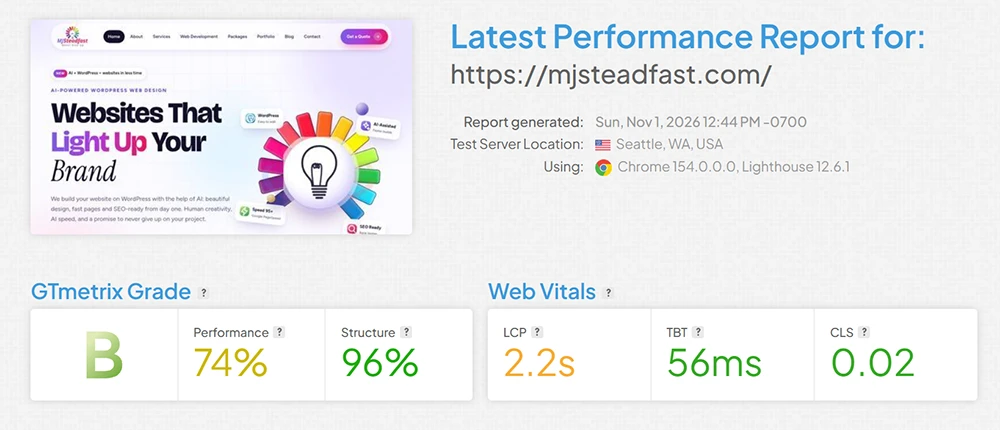
Even without a cache plugin, our site scored B on GTmetrix, with a performance score of 74%. The main content appeared in 2.2 seconds.
That good start did not come from a plugin. It came from the basics: a clean design, only the plugins we really need, and light WebP images instead of heavy photos.
The LiteSpeed Cache settings we turned on
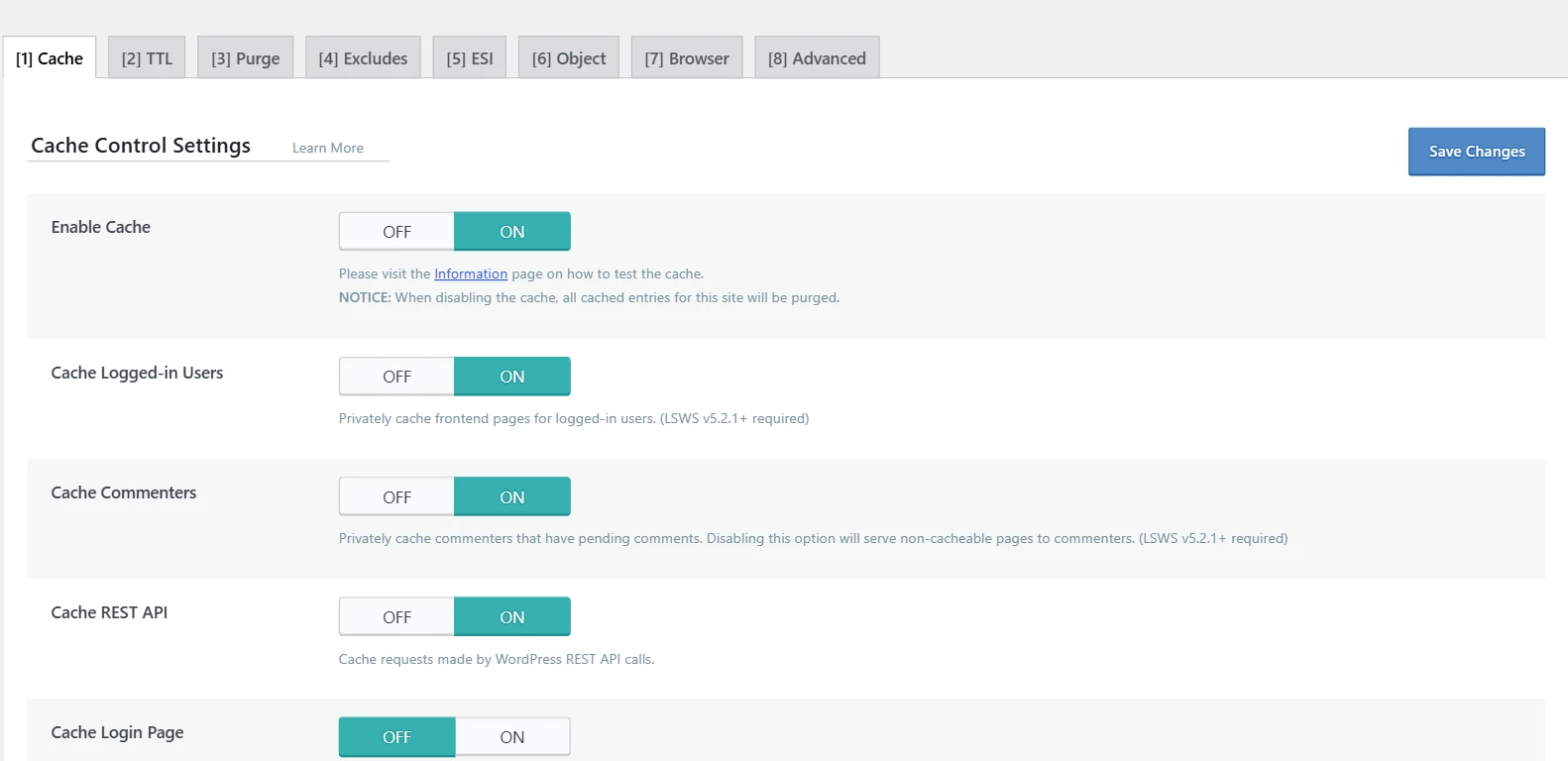
If your hosting runs on a LiteSpeed server, like many Hostinger plans, this plugin is free and works directly with the server. You can read what each option does in the official LiteSpeed Cache documentation.
The settings we left off on purpose
More settings do not always mean more speed. Many guides tell you to switch everything on. Options that combine, delay or defer CSS and JavaScript can break animations, menus and contact forms. A few extra points are not worth a broken website.
Our website has animations and moving effects, so we kept the risky options off. You can test them one by one later, and check every page after each change.
Our speed after LiteSpeed Cache
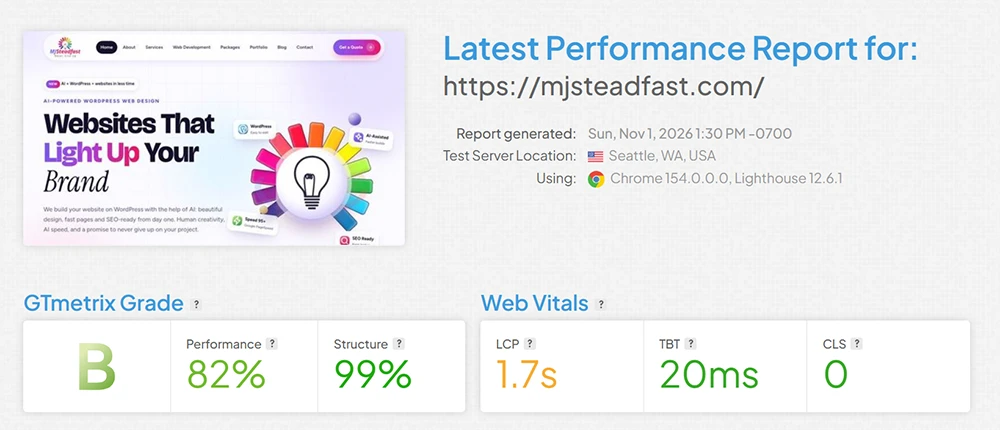
| Result | Before | After |
|---|---|---|
| GTmetrix grade | B | B |
| Performance | 74% | 82% |
| Main content shows in (LCP) | 2.2 seconds | 1.7 seconds |
| Blocking time (TBT) | 56 ms | 20 ms |
| Layout shift (CLS) | 0.02 | 0 |
The biggest change is how quickly the page appears. The server no longer builds every page from zero, so visitors and search engines get the page almost straight away.
How to test your own website the fair way
Clear old cache
Turn the plugin off and clear cache first, or your “before” test will not be real.
Test more than once
Scores change a little each time. Run 2 or 3 tests and use the normal result.
Check mobile too
Google looks at mobile speed, so test the mobile score as well as desktop.
Will every website get the same score?
No, and we will always be honest about that. Speed depends on your hosting, your images, your plugins and how much content each page has. What we can promise is care: every website we build starts with a clean design and gets a real speed test before launch.
You can see how we plan and build sites on our WordPress web development page, or compare what is included in our website packages.